
TapClaim
Independent app by EVERCODE- Listed on the App Store and Google Play
- Court-approved settlements with official sources on every page
- Opens the official claim form inside the app, then keeps the claim in your list
Quick answer
TapClaim is a legitimate class action settlement app for iPhone and Android. You answer 5 questions, see settlements you qualify for, and file the claim yourself on the official form, which opens inside the app. No account or email is needed to start. TapClaim is not a law firm and does not pay claims; the court-appointed settlement administrator reviews each claim and sends payments.- 5 questionsto start matching, no account or email
- 60 secondsto your first matched settlements
- 4.2 starsfrom 1.1k ratings on Google Play
- Under 1 in 10eligible consumers ever file a claim, according to the FTC
TapClaim at a glance
| What matters | TapClaim | Details |
|---|---|---|
| Platforms | iPhone and Android | Listed on the App Store and Google Play under TapClaim. |
| Matching | 5 questions, results in about 60 seconds | No account and no email needed to start. |
| Filing | On the official form, inside the app | TapClaim opens the administrator's official claim form and you submit it there. The administrator decides eligibility. |
| Tracking | Applied, In Review, Paid, Rejected | Every filed claim stays in one list, and you update its status. |
| Settlement sources | Official source on every settlement page | Each page shows the administrator or court source and the date it was verified. |
| Operator | EVERCODE | Public editorial policy, corrections log, and support email on this site. |
What using TapClaim looks like
Screens from the TapClaim App Store listing. Estimates shown are illustrative; settlement administrators set every payout.
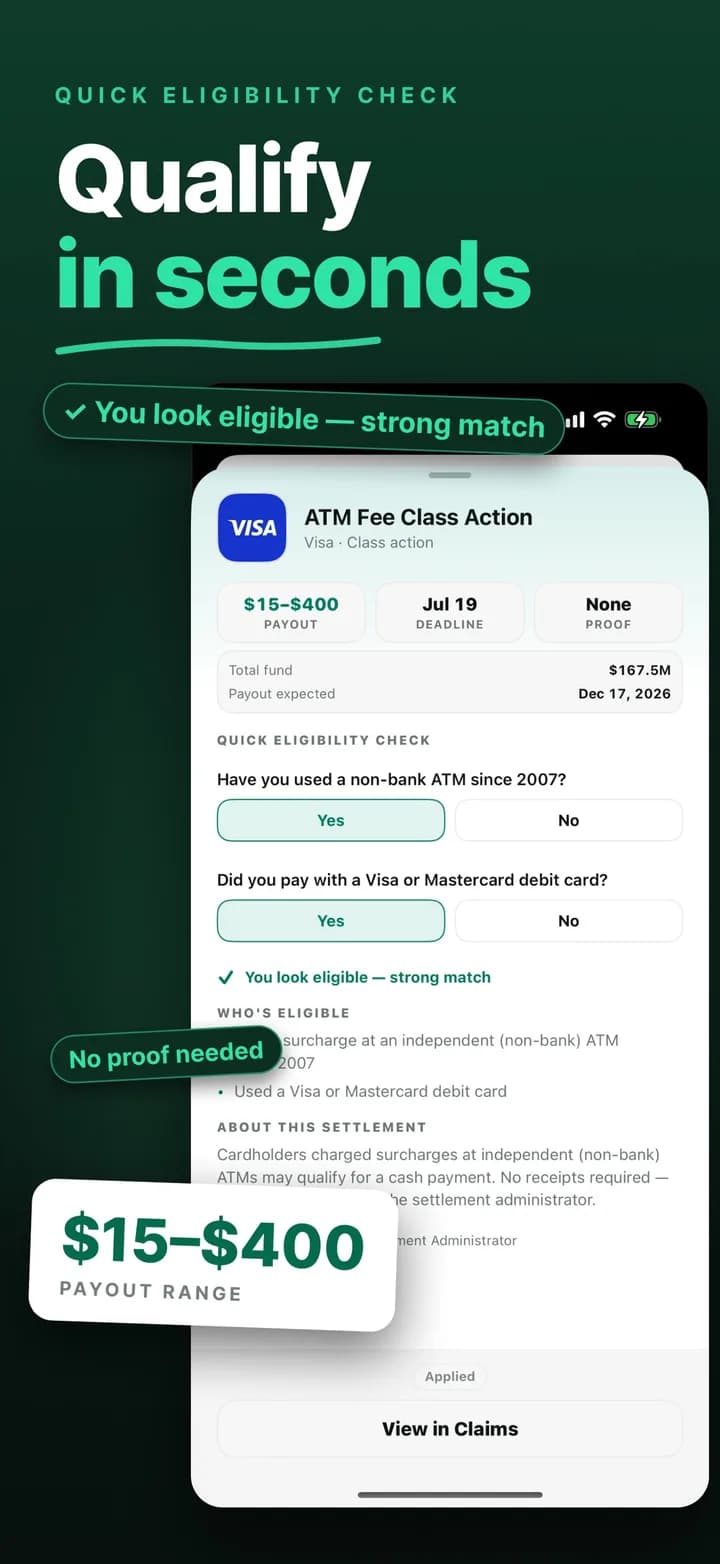 Step 1
Answer a few questions, qualify in seconds
Each settlement shows the estimated payment, the deadline, and whether proof is needed. Two quick questions tell you whether you look eligible before you spend a minute on a form.
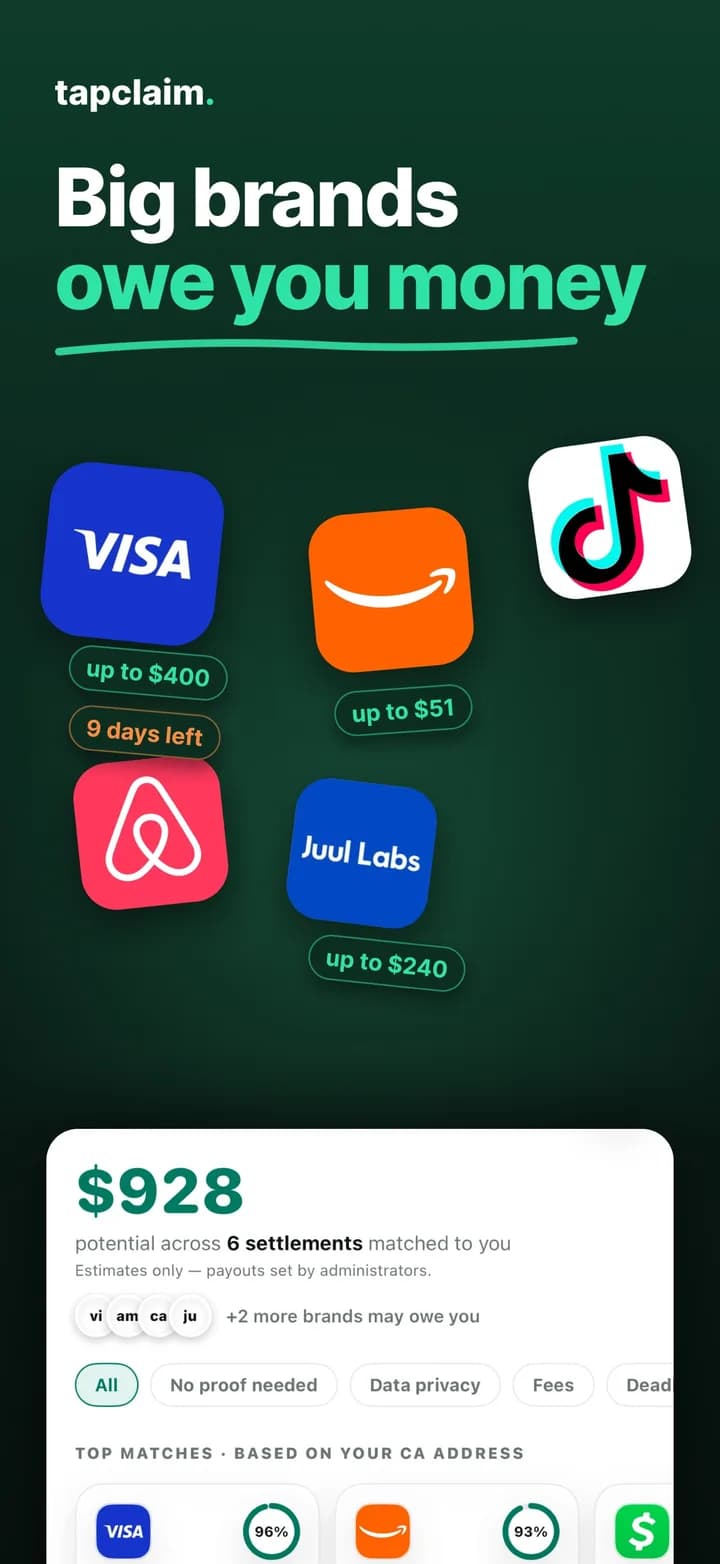 Step 2
See your matches on one screen
Your matches land together with an estimate across all of them, strongest first. The questions surface settlements you would never think to search for, like data breaches at companies that held your information.
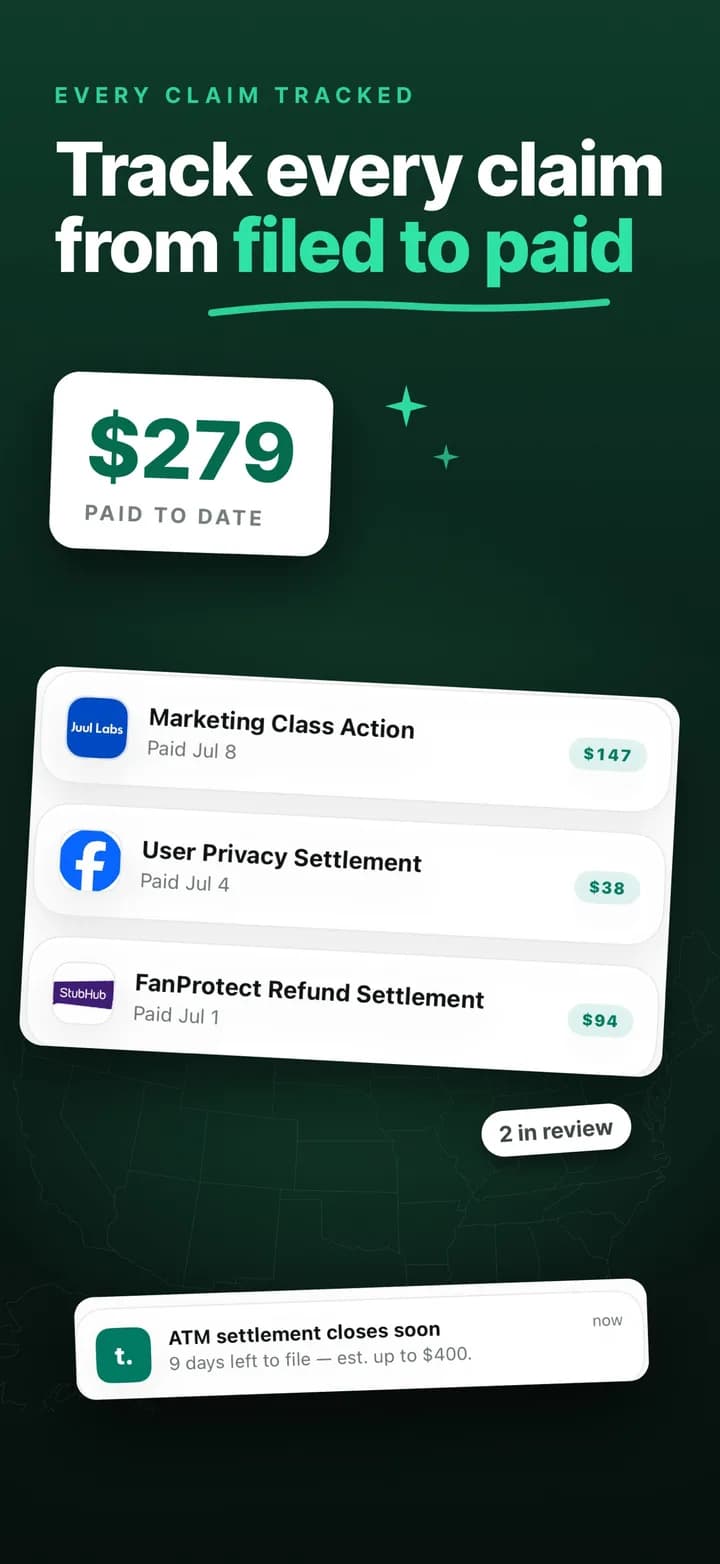 Step 3
File from the app, track every claim to the check
Filed claims stay in one list, where you mark each one Applied, In Review, Paid, or Rejected and record what it paid, so you are not digging through email to remember what you filed.
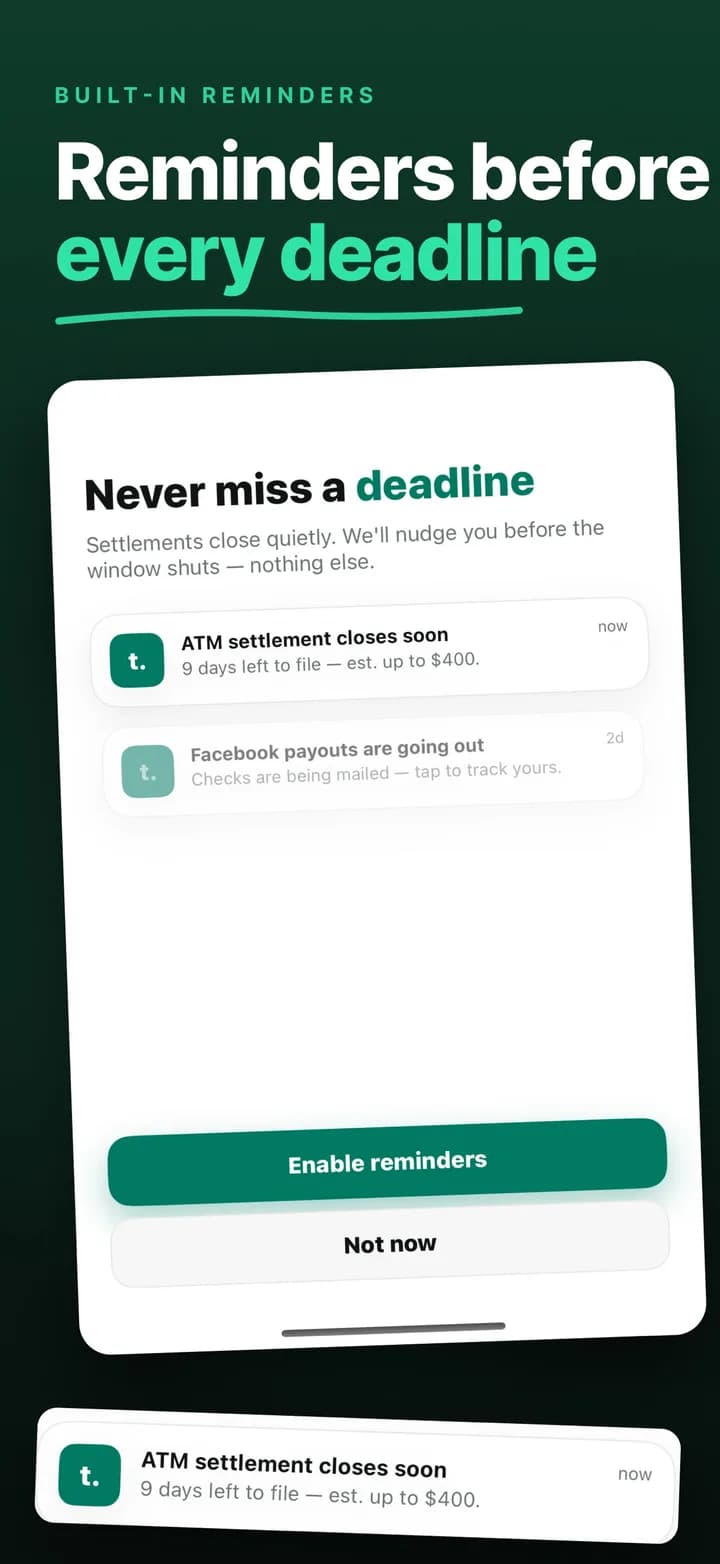 Step 4
Get nudged before deadlines
Settlements close quietly. Save one and TapClaim reminds you before its window shuts.
Check these now
Open settlements you can file today
Social Security Disability Claim
Denied Social Security Disability Benefits?
If an SSDI or SSI claim was denied or you're just applying, experienced legal help may improve your chances of approval.
- Deadline
- TBD
- Proof
- No proof
What TapClaim users say
“This is an amazing tool to help navigate what we would have NEVER known otherwise.”
“one of the best easiest amazing apps I have ever used. everybody can use it. that simple and the payouts are real.”
“easy and quick access to money you missed!”
Reviews are quoted verbatim from public store listings on the dates shown.
What TapClaim actually does
Open class action settlements are scattered across court notices, administrator websites, and long news lists. TapClaim turns that search into a short list. You answer 5 questions about the products, services, and accounts you have used, and the app shows settlements you qualify for, each with the deadline, the proof requirement, and the estimated payment.
From there you file the claim inside TapClaim. The app opens the administrator's official claim form, you submit it there, and the claim is saved to your claims list so you can follow it later. That is the whole product: find, file, track.
- See matches in about 60 seconds without creating an account.
- File the claim from your phone instead of hunting for the administrator's form.
- Keep every filed claim organized as Applied, In Review, Paid, or Rejected.
Where the settlements come from
Every settlement in TapClaim is a real, court-approved case. On this website each settlement page lists its official sources, usually the administrator's site or the court record, together with the date our team last verified it. When a claim window closes, the page stays online and is marked closed rather than deleted, so you can always check what happened.
The editorial rules behind that process are public. Read the editorial policy and the corrections log if you want to know how settlements are selected, reviewed, and fixed when something changes.
What happens to your answers
You do not create an account or hand over an email address to start. TapClaim asks for your ZIP code only to match state-specific settlements, and it does not sell your answers. When you file a claim, you enter the details on the administrator's official form, so they go to the same party that would receive them on the administrator's own website.
Filing a claim inside TapClaim
Filing inside the app means TapClaim opens the administrator's official claim form in an in-app browser, and you complete and submit it there. TapClaim does not file claims on your behalf. The administrator still decides whether the claim is accepted, and payments always come from the settlement fund, never from TapClaim. Most settlements pay weeks or months after the deadline, once the court gives final approval.
Because the claim is saved in your TapClaim list, you do not have to remember which administrator website you used. Open TapClaim and the claim is there with the status you last marked.
What TapClaim is not
TapClaim is not a law firm, a court, a government agency, or a settlement administrator. It does not give legal advice, it does not decide who is eligible, and it cannot guarantee that a claim is approved or how much it pays. Official settlement terms always control over any summary in the app or on this site.
- Does not pay settlement money; administrators do.
- Does not search state unclaimed-property databases.
- Does not guarantee eligibility, approval, amount, or timing.
How to verify any settlement yourself
Trust, then check. Open the settlement's page on tapclaim.app, tap the official source, and confirm the class period, the proof rule, and the deadline on the administrator's or court's own page. If a settlement is real, the details will match. If anyone asks you to pay to receive money, stop; the FTC's refund-scam guidance covers exactly that pattern.
Still on the fence?
Why does the app show money I have already missed?
Because it is true and it is the point. The FTC found that fewer than 1 in 10 eligible consumers ever file a claim. Seeing what closed without you is the fastest way to understand why filing the open ones matters.
Is it worth five minutes?
Every match shows an estimated payment before you file, so you decide what is worth your time. Most people are surprised by what they have been leaving behind.
What if nothing matches me today?
Then you have spent 60 seconds and gained a list that refreshes as new settlements open every week. Save the ones that look close and TapClaim reminds you before the deadline.
Who is behind TapClaim?
TapClaim is operated by EVERCODE, a software company. The editorial policy, corrections log, and support contact are published on this site, and the app is listed under the company's name on both stores.
Who it is for
TapClaim is built for you if
- You want a short list of settlements worth checking instead of a long directory.
- You want to file from your phone, with each official claim form opening inside one app.
- You want every claim you have filed, and the status you mark for it, in one place.
Bottom line
TapClaim is a real app from a real company that finds court-approved settlements, opens the official claim form inside the app so you can file, and keeps your claims in one list. It is not a law firm, it does not file claims on your behalf, and it does not pay claims. If that is what you expect from it, it does the job.


Frequently asked questions
Is TapClaim a scam?
No. TapClaim is an independent settlement app operated by EVERCODE and listed on the App Store and Google Play. It shows court-approved settlements with their official sources, opens the official administrator's claim form so you can file, and never asks for a fee to submit a claim.
Does TapClaim pay me?
No. Payments always come from the settlement fund through the court-appointed administrator. TapClaim helps you find, file, and track the claim.
Do I need an account to use TapClaim?
No account or email is needed to answer the 5 questions and start matching.
Does TapClaim file the claim for me?
No. You file it inside the app: TapClaim opens the official settlement administrator's claim form, you submit it there, and the claim stays in your claims list, where you update its status.
How do I know a settlement in TapClaim is real?
Every settlement page on this site lists its official sources and the date they were verified. You can open the administrator's or court's page directly from there.
Who runs TapClaim?
TapClaim is operated by EVERCODE. The editorial policy, the corrections log, and the support contact are published on this site.
Method
How we compared them
This page describes TapClaim's own product and was checked against the App Store and Google Play listings on September 16, 2026, and against both listings and the TapClaim Terms of Service on October 2, 2026. User reviews are quoted verbatim from Google Play with their dates.
Sources
Sources used for this comparison
- TapClaim Terms of Service
TapClaim opens the administrator's official claim form in an in-app browser, and you submit the claim yourself. Verified October 2, 2026.
- TapClaim on the App Store
About 60 seconds to matched settlements, a claims list you mark Applied, In review, Paid, or Rejected, deadline reminders for saved settlements, and the screenshots shown on this page. Verified October 2, 2026.
- TapClaim on Google Play
5 quick questions with no account or email, the official claim form opened from the app, claim tracking, and the public user reviews quoted on this page. Verified October 2, 2026.
- FTC: Consumers and Class Actions, a retrospective and analysis of settlement campaigns
2019 staff report on how few eligible consumers file claims in class action settlements. Verified October 2, 2026.
- TapClaim editorial policy
How settlements are selected, verified, and corrected. Verified October 2, 2026.
- FTC: refund and recovery scams
Why a request to pay a fee to receive settlement money is a warning sign. Verified October 2, 2026.