
TapClaim
Our pick- 5 questions, no account or email to start
- Opens the official claim form inside the app
- Keeps every claim in one list, applied to paid

Payout
- You pick brands you have purchased from
- Sends you to the administrator's site to file
- Weekly giveaway and finance quizzes in the app
Quick answer
Choose TapClaim if you want to answer 5 questions without an account, see matched settlements, and file on the official claim form without leaving the app, with every claim kept in one list. Payout matches from brands you select, and its App Store listing says it does not submit claims; you file directly with each administrator. In both apps you submit the claim yourself. TapClaim keeps the filing and the follow-up in one place.- 5 questionsto start matching, no account or email
- 60 secondsto your first matched settlements
- 4.2 starsfrom 1.1k ratings on Google Play
- Under 1 in 10eligible consumers ever file a claim, according to the FTC
TapClaim vs Payout, side by side
| What matters | TapClaim | Payout |
|---|---|---|
| How matching works | 5 questions about what you have used | You select brands you have purchased from, per its App Store listing; its website also describes a few simple questions |
| Getting started | WinnerNo account or email to start matching | Profile-based matching, per its listing |
| Where you file | On the official claim form, opened inside TapClaim; you submit it yourself | Directly with each administrator. The listing states Payout does not submit claims on your behalf; its website says it pre-fills claims |
| Tracking after filing | A claims list you mark Applied, In review, Paid, or Rejected | Not described in its App Store listing; its website says the app shows status updates |
| Deadlines | Reminders before the deadline of each saved settlement | Alerts when new settlements match your profile |
| What else is in the app | WinnerSettlements only | A weekly cash giveaway plus credit card, bank, and investing quizzes, per the listing |
| Settlement pages on the website | Winner221 settlement pages, updated as claims open and close | 185 settlement pages in the trypayout.app sitemap, checked October 2, 2026 |
| Settlement sources on the website | Official source and verification date on every settlement page | Settlement pages on trypayout.app with an update date and a link to the official claim site |
| Platforms | iPhone and Android | iPhone and Android |
What using TapClaim looks like
Screens from the TapClaim App Store listing. Estimates shown are illustrative; settlement administrators set every payout.
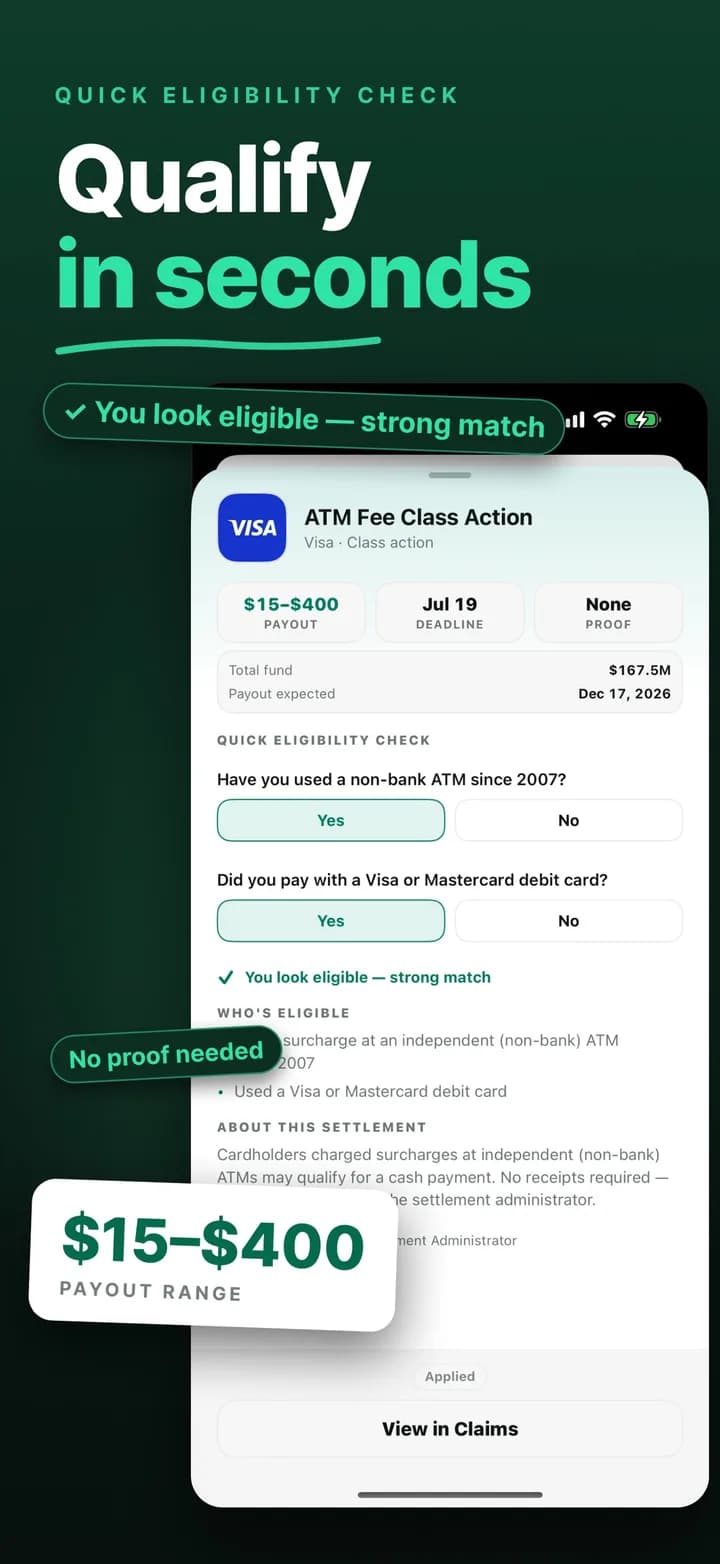 Step 1
Answer a few questions, qualify in seconds
Each settlement shows the estimated payment, the deadline, and whether proof is needed. Two quick questions tell you whether you look eligible before you spend a minute on a form.
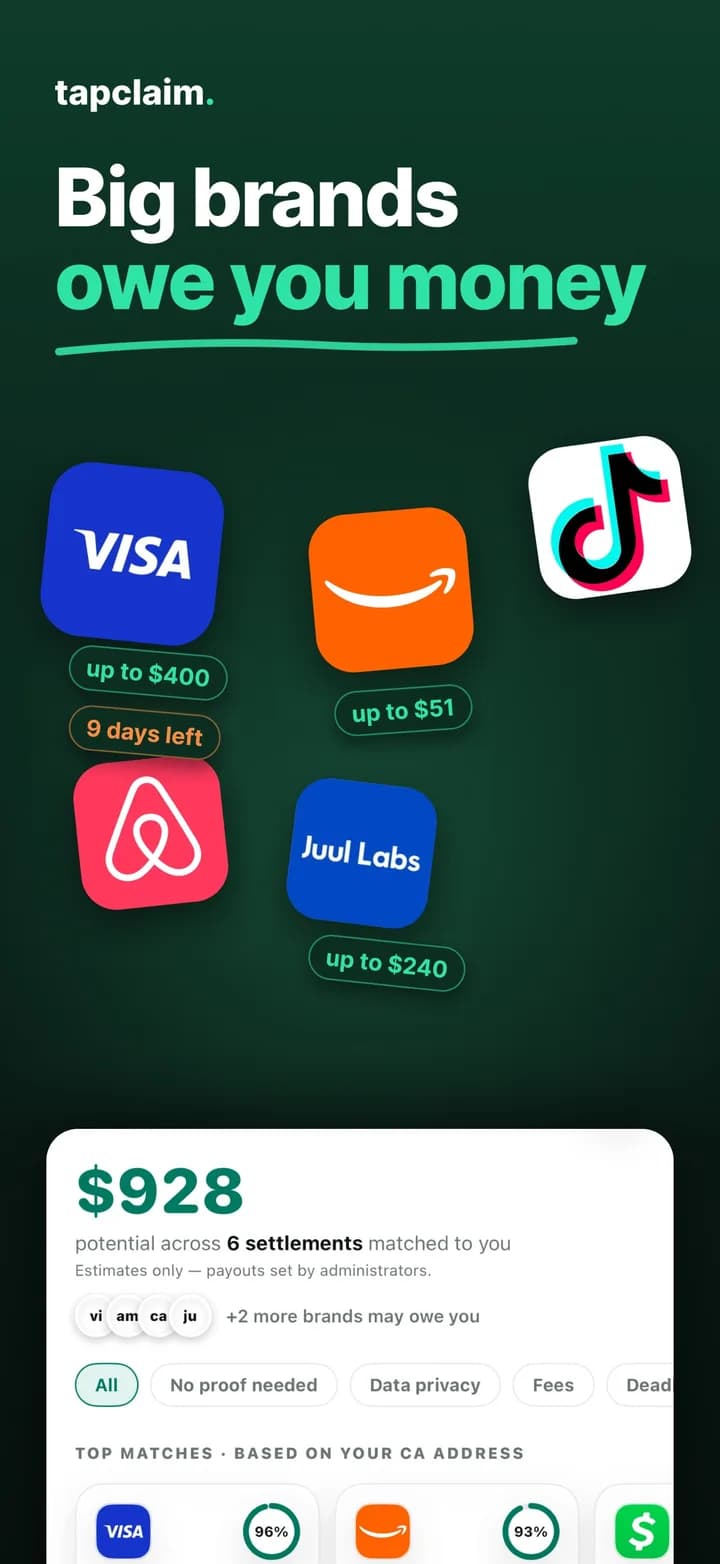 Step 2
See your matches on one screen
Your matches land together with an estimate across all of them, strongest first. No brand list to remember: the questions surface settlements you would never think to search for, like data breaches at companies that held your information.
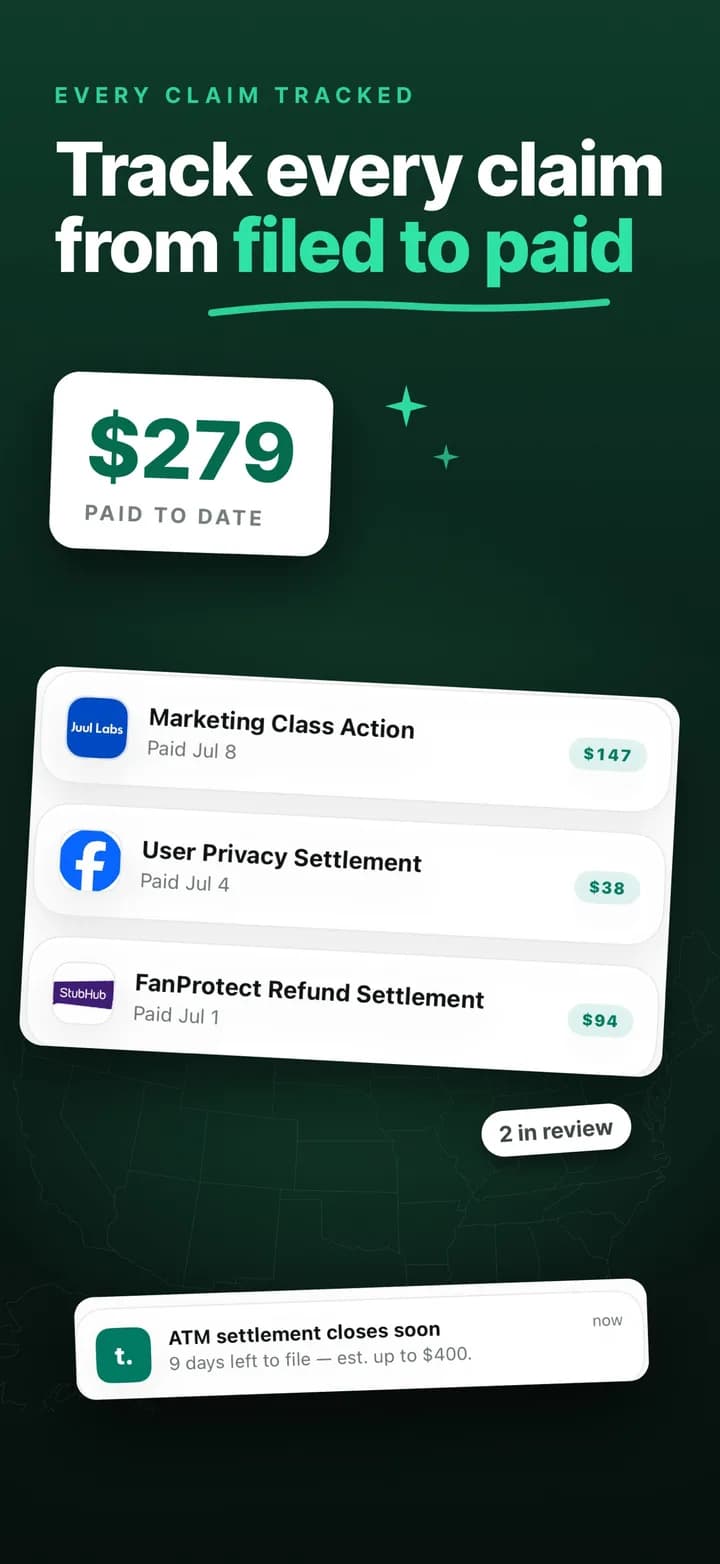 Step 3
File from the app, track every claim to the check
Filed claims stay in one list, where you mark each one Applied, In Review, Paid, or Rejected and record what it paid, so you are not digging through email to remember what you filed.
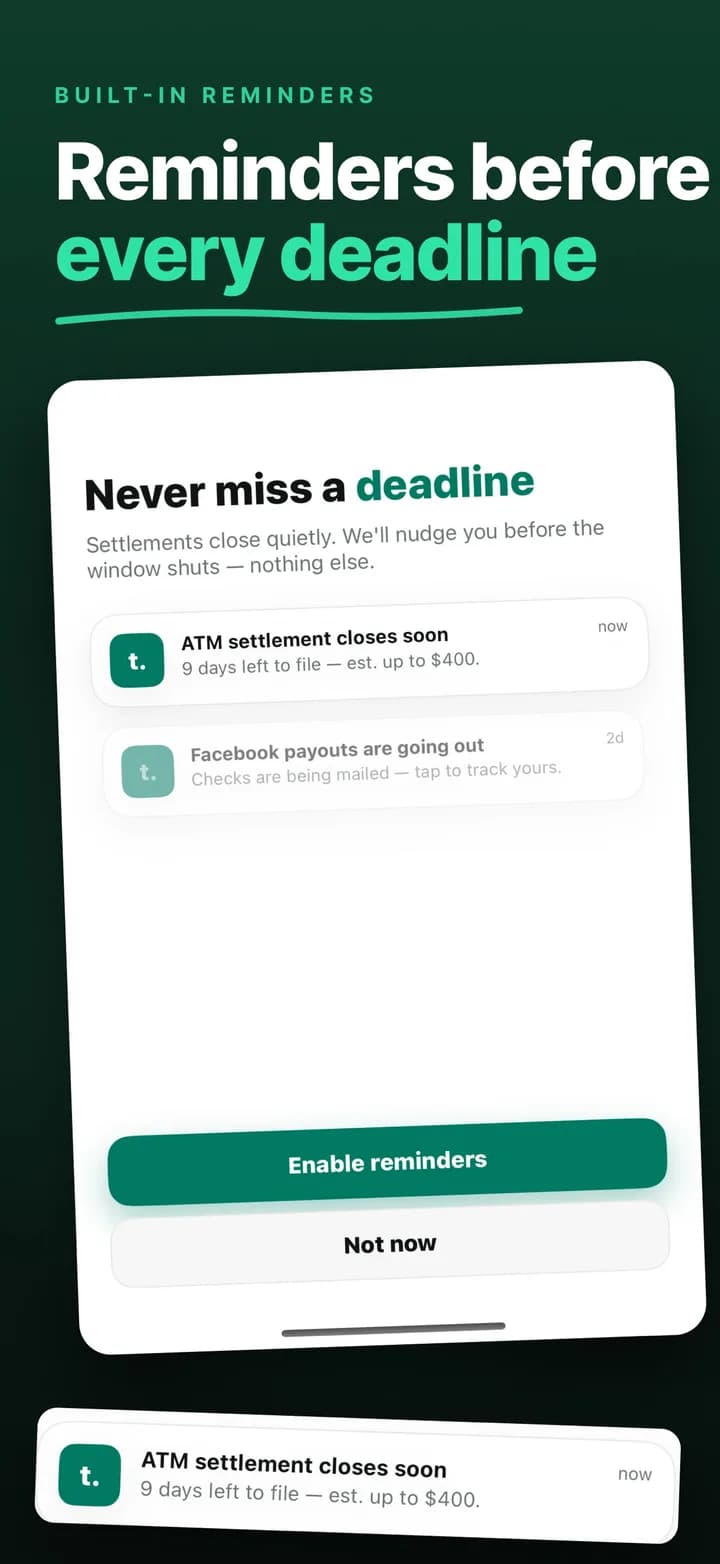 Step 4
Get nudged before deadlines
Settlements close quietly. Save one and TapClaim reminds you before its window shuts.
Check these now
Open settlements you can file today
Social Security Disability Claim
Denied Social Security Disability Benefits?
If an SSDI or SSI claim was denied or you're just applying, experienced legal help may improve your chances of approval.
- Deadline
- TBD
- Proof
- No proof
What TapClaim users say
“This is an amazing tool to help navigate what we would have NEVER known otherwise.”
“one of the best easiest amazing apps I have ever used. everybody can use it. that simple and the payouts are real.”
“easy and quick access to money you missed!”
What Payout users say about filing
“they link to publicly available claims websites. they don't do anything for you automatically for any of the claims I clicked on.”
“IT KEEPS GOING TO ADS AND WON'T LET YOU SUBMIT ANYTHING.”
Reviews are quoted verbatim from public store listings on the dates shown.
Payout app review: what its own listing says
Payout describes itself as a quick way to turn overlooked class action settlements into cash. The flow in its App Store listing is: select the brands you have purchased from, see which claims you can file, then follow the steps to file. The listing also describes a weekly cash giveaway with extra entries for inviting friends, and quizzes that match you with credit cards, bank accounts, and investing apps, for which Payout says it may earn a commission.
The most important sentence is in the listing's own disclaimer, and it changes what the app is for.
“Payout does not submit claims on your behalf. We help you identify eligible settlements and provide the information you need to file directly.”
Payout, App Store listing, verified October 2, 2026
TapClaim in 60 seconds: five questions, then file
TapClaim starts with 5 questions about the products, services, and accounts you have used. In about 60 seconds you get a short list of settlements you qualify for, each with the estimated payment, the deadline, and the proof rule. You do not create an account or give an email address to start.
Then filing. Tap the settlement and confirm the eligibility questions, and TapClaim opens the administrator's official claim form inside the app. You submit the claim there, and it stays in your TapClaim claims list, where you mark its status as it moves.
Filing inside the app versus filing on the administrator's site
Both apps leave the submission to you, on the administrator's official form. The difference is where that form opens and what happens after. Payout's App Store listing says it gives you the information to file directly with the administrator, and public Google Play reviews describe the app linking out to claim websites.
With TapClaim, the official form opens inside the app, you submit it there, and the claim stays in your TapClaim claims list. The administrator still decides whether the claim is accepted, and payments always come from the settlement fund, never from TapClaim. The filing and the follow-up stay in one place on your phone.
Tracking after you file
Settlement payments usually arrive weeks or months after the deadline, once the court gives final approval. That gap is where claims get lost. TapClaim keeps every filed claim in one list, where you mark it Applied, In Review, Paid, or Rejected and record what it paid. Payout's App Store listing does not describe claim tracking. Its website says the app shows status updates for claims you file, while the filing itself happens on the administrator's website.
Focus: settlements only versus giveaways and quizzes
TapClaim's screen has one job: settlements you qualify for, their official claim forms, and the list of claims you filed. Payout's listing describes a weekly cash giveaway and quizzes that match you with credit cards, bank accounts, and investing apps. Public reviews also mention ads getting in the way of submitting.
None of that is illegal, but it changes what the app is optimized for. If you open a settlement app to file settlement claims, fewer detours between you and the claim is the whole point.
Looking for a Payout alternative? Check these four things
Whatever app you consider, four questions separate a claim tool from a reading list.
- Does it match you from what you have used, or from a list of brands you have to remember?
- Does it open the official claim form inside the app, or send you to the administrator's website?
- Does it keep every filed claim and its status in one place?
- Does it show the official source for each settlement so you can verify before filing?
Still on the fence?
Is it worth five minutes?
The FTC found that fewer than 1 in 10 eligible consumers ever file a claim. Every match in TapClaim shows an estimated payment before you file, so you decide what is worth your time. Most people are surprised by what they have been leaving behind.
What if nothing matches me today?
Then you have spent 60 seconds and gained a list that refreshes as new settlements open every week. Save the ones that look close and TapClaim reminds you before the deadline.
Is my information safe?
You do not create an account or give an email address to start. TapClaim asks for your ZIP code only to match state-specific settlements and does not sell your answers. When you file, you enter the claim details on the administrator's official form, so they go to the same party that would receive them on the administrator's own website.
Why not just use Payout?
You can. By its own description, Payout gives you the information and you file on each administrator's site. In TapClaim you also submit the claim yourself, but the official form opens inside the app and the claim stays in your claims list afterward.
Who it is for
Choose TapClaim if
- You want matches from 5 questions, not from a list of brands you have to remember.
- You want each official claim form to open inside one app instead of switching between websites.
- You want every claim you have filed, and the status you mark for it, in one place.
- You want an app that only does settlements.
Bottom line
Both apps can show you class action settlements, and in both you submit the claim yourself. TapClaim matches you in 5 questions without an account, opens the official claim form inside the app, and keeps every claim in one list until it pays. Payout, by its own description, gives you the information to file directly with each administrator.


Frequently asked questions
Does Payout file claims for you?
No. Payout's App Store listing states that it does not submit claims on your behalf and that it provides the information you need to file directly with the settlement administrator.
Does TapClaim file claims for you?
No. You file inside the app: TapClaim opens the administrator's official claim form, you submit it there, and the claim stays in your claims list, where you update its status.
Do I need an account to use TapClaim?
No. You answer 5 questions and start matching without creating an account or giving an email address.
Can I use both apps?
You can, but file each settlement claim only once. Administrators reject duplicate claims, so pick one place to file and track from.
Which app tracks claims after filing?
TapClaim keeps every filed claim in one list, where you mark it Applied, In Review, Paid, or Rejected and record what it paid. Payout's App Store listing does not describe claim tracking, though its website says the app shows status updates for claims you file.
Are the settlements in both apps real?
Both apps list real class action settlements. Before filing anywhere, open the official administrator or court source. Every settlement page on tapclaim.app links to that source and shows when it was verified.
Payout vs TapClaim: which one should I download?
Download TapClaim if you want a 5-question match, the official claim form opened inside the app, and every claim kept in one list. Download Payout if you prefer to browse a brand-based list and file each claim directly with the administrator.
Is TapClaim legit?
Yes. TapClaim is an independent settlement app operated by EVERCODE, listed on the App Store and Google Play, with a public editorial policy and corrections log on this site. It is not a law firm and does not pay claims; administrators do.
Method
How we compared them
We compared both apps on September 15, 2026 using their App Store and Google Play listings, their websites, and public user reviews. We used TapClaim on iPhone. We did not install Payout for this comparison; its behavior is described from its own listing, its website, and public Google Play reviews, quoted verbatim with dates. Every listing and website was re-checked on October 2, 2026.
Ratings, download counts, and marketing claims were not scored. The four criteria were matching, where the claim is filed, tracking after filing, and whether official sources are shown for each settlement.
Sources
Sources used for this comparison
- Payout on the App Store
Brand-based matching, the statement that Payout does not submit claims on your behalf, the weekly giveaway, and the card, bank, and investing quizzes. Verified October 2, 2026.
- Payout website sitemap
Used to count the settlement pages published on trypayout.app. Verified October 2, 2026.
- Payout on Google Play
Public user reviews quoted on this page. Verified October 2, 2026.
- Payout website
Product description and feature claims as published by Payout. Verified October 2, 2026.
- TapClaim Terms of Service
TapClaim opens the administrator's official claim form in an in-app browser, and you submit the claim yourself. Verified October 2, 2026.
- TapClaim on the App Store
About 60 seconds to matched settlements, a claims list you mark Applied, In review, Paid, or Rejected, deadline reminders for saved settlements, and the screenshots shown on this page. Verified October 2, 2026.
- TapClaim on Google Play
5 quick questions with no account or email, the official claim form opened from the app, claim tracking, and the public user reviews quoted on this page. Verified October 2, 2026.
- FTC: Consumers and Class Actions, a retrospective and analysis of settlement campaigns
2019 staff report on how few eligible consumers file claims in class action settlements. Verified October 2, 2026.